
Karaoke Night Ideas for Bars: Run It With the Screens You Own
The karaoke night is not a talent show — it is a participation loop. Here is how to run one with a QR jukebox, rotate singers fairly and package it as a weekly event guests book.
- Who it is for
- Bar and restaurant owners who want a weekly event that fills a quiet night without hiring a host or renting equipment.
- Search intent
- commercial
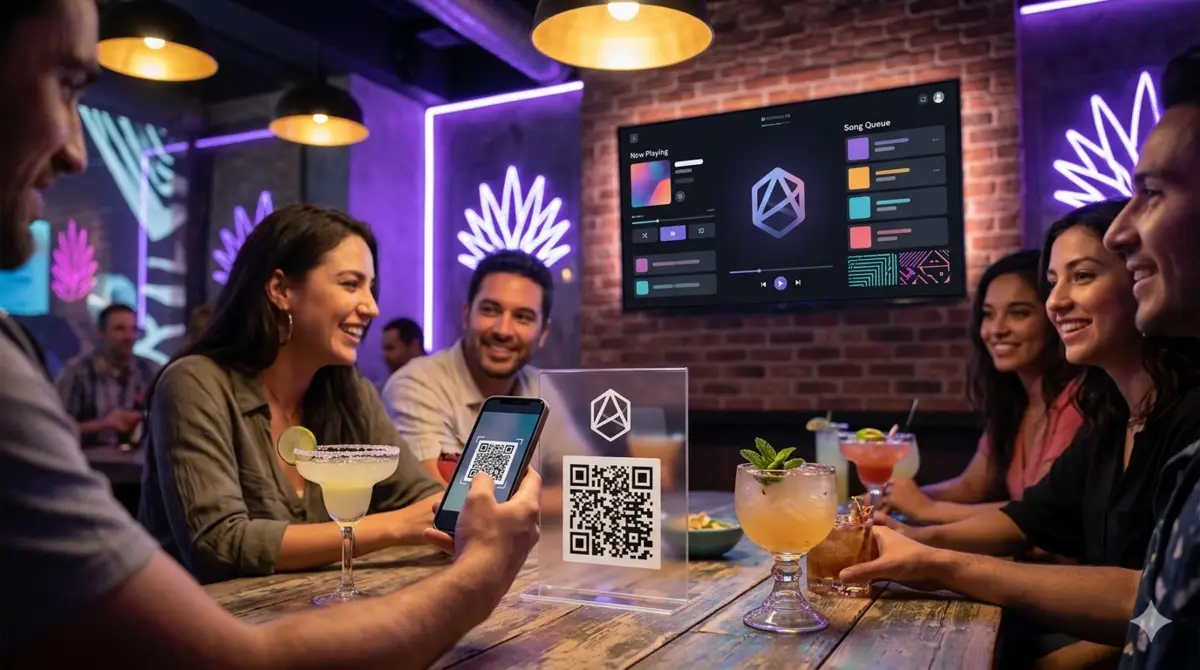
Karaoke is the cheapest event a bar can run, and it is also the one most bars run wrong: they spend on a host, a machine and a songbook, and then the night dies because the rotation is unfair, the same three people sing, or nobody gets the mic without begging.
A QR jukebox with karaoke mode removes the entire equipment story — the TV you already have holds the songbook and the lyrics — leaving you to work on the part that actually decides whether the night fills up: the loop that gets people up, on the mic, and back again next Thursday.
What karaoke mode on a QR jukebox actually looks like
In Rockola.app, karaoke is a mode (on Professional plans and up): guests browse or search the catalog and the karaoke filter (Karaoke kind), the queue builds exactly like a music queue, and when a karaoke track hits the screen it shows the lyrics over the video. No separate machine, no encoder, no "system".
From the bar's viewpoint that means:
- The songbook is infinite and always current — guests search YouTube karaoke tracks by title instead of flipping a tattered binder.
- The queue is public and fair. Same shared queue as the music: everyone sees the order and the ghost above is plain, which solves a chunk of rotation drama by itself.
- Schedule and credits apply. You can set the karaoke night to a window (say Thursday 9 PM–12 AM), gate it with credit codes for VIP rotation, or leave it free and count the win in the bar tab.
If your venue is not on Professional, the karaoke experience still works on the TV: the YouTube videos play in the jukebox and the guests sing along to the official video. The lyrics overlay is the Professional addition that makes it feel like a karaoke night rather than a very singable music night.
The rotation is the product — design it before the night
Nobody decides "do I come back next Thursday" because the machine had good sound; they decide because the mic was fair and the room felt easy. Three rules that make a rotation feel fair:
- One singer, added to the queue. A QR karaoke night works best when a request is also a rotation ticket: a table scans, queues one singer at a time, and the queue is the turn. A guest who wants to sing again queues again — visibly, at the back, in front of everyone.
- Cap the duplicates. The queue limits already exist: cap how many songs one table can add so the first table cannot bank five songs and disappear. The night belongs to the rotation.
- No-boot service. Let the staff move someone without an audience quickly: "save" is a two-tap move in the admin panel, not a political negotiation. A karaoke night with a 30-second awkward silence for one person is a dead 30 minutes of room energy.
Packaging the night as an event
The difference between "karaoke happens on Thursdays" and "Karaoke Night at The Corner" is the difference between a hobby and an event. The packaging that works, and that the QR jukebox supports cheaply:
- A theme with an artistic hook. 90s night, "Songs you know the chorus of", country night, battle of the decades. Themes are free, they give the room a costume and they give the regulars a reason to tell a friend "come, it's 90s night".
- Points that aren't talent. Judge on energy, crowd response or improvisation, never on pitch. The bar's points are pure marketing: the winner gets a credit code for next week and a free round, which is how the night converts to the same crowd returning.
- Credit codes as the fuel. The venue generates QR codes with credits and hands them out (with a drink, at 10 PM, as mystery-queue bribes). They cost nothing until redeemed, they start movement and they convert to the bar tab — a QR night funded by guests is a QR night that pays for itself.
Marketing channels matter more than the tech: post the night on the venue's Instagram story Wednesday, put a "Karaoke Thursdays, 9 PM" line on the table tent with the QR, and let the jukebox week's analytics (Premium plan) tell you which hour actually fills up so you can move the window.
The two catches that preview will reveal
Karaoke mode on a screen has two limits that owners notice in the first week and then never think about again:
- Lyrics need internet. The lyrics come with the video, and a stuttering connection shows up on the biggest screen in the room. Keep the player screen on ethernet and test the venue's Wi-Fi with five phones on it before night one.
- The volume fight. A karaoke night is a microphone night; the DJ / playback lane and the room sound mix from the same mixer. Plan an input for the vocal mics in the karaoke window and your sound tech (or the one staffer who's trusted with the mixer) owns that mix for the night.
Neither is a reason to skip the night, and both are exactly the kind of thing a staff member who's seen the dashboard once can triage in ten minutes. That's the model of a karaoke night that repeats: the manager is a booker, not a technician.
Conclusion
Run the karaoke on the TV you own, let the queue be the rotation, package the night with a theme and credit codes, and let the analytics tell you the winning hour. The whole investment is the Professional plan and one staff member who owns the evening. If the night is new to your venue, book yourself a trial of the Professional plan and run the first test on a slow Tuesday — the trial is free for 30 days and the first mistake costs nothing.
Frequently asked questions
Do I need a host or staff for karaoke night?
No host required. One staff member manages the queue from the admin panel (or a tablet held by the bar), hands the mic around and moves a mic-less singer on when the room wants it. The queue is the DJ.
Does karaoke mode need a microphone or sound equipment?
It runs on a TV with speakers, but a bar night feels right with one or two handheld microphones into the mixer (a $30–$80 investment or often already on hand). The software side is just the Professional plan's karaoke mode.
How do I stop the same three people singing all night?
The public queue is the rotation they can see, queue caps limit how many songs a table can bank, and credit-based VIP codes give hosts a way to reward movement. Enforce the visible queue politely and the room enforces it for you.
What if someone queues a song that is not karaoke?
The venue decides: the blacklist can block the categories you do not want on karaoke night, and the queue still shows everything. For a pure karaoke window you set the catalog filter to karaoke, and guests see the karaoke-only list when scanning.
How do I promote the night?
Theme + time + place in the venue's social media on Wednesday, the table tent with the QR, and credits handed out as participation prizes. The analytics on the Premium plan tell you which window fills up, so you move the event to the hour the room actually votes for.
Plans
Three plans, every one with a 30-day trial
From the plan that just plays music to the one that tells you which songs make your guests spend more.