
Digital Jukebox vs. Spotify (and Spotify Jam) for Bars
Spotify Jam lets a table add songs for an hour. A digital jukebox runs the whole night, for every table, with the owner still holding the controls.
- Who it is for
- Bar and restaurant owners comparing Spotify, Spotify Jam and a QR-based digital jukebox before picking a system for the floor.
- Search intent
- commercial
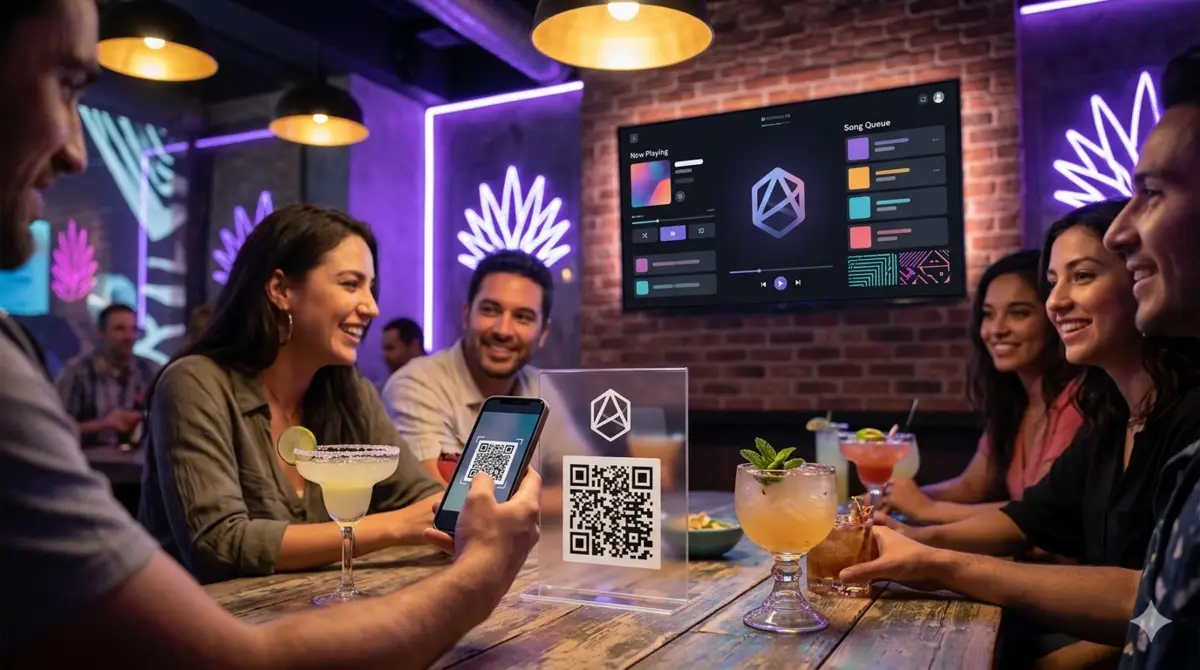
Spotify Jam looks like it solves the same problem a digital jukebox does: let more than one person add songs to what is playing. It does not, and the gap between the two shows up the first Friday night a bar tries to run on Jam instead of a purpose-built queue.
What is Spotify Jam, exactly?
Jam is a feature inside the Spotify app that turns your current playback into a shared session. You start it from the "Now Playing" screen, share a link or a Bluetooth-based nearby invite, and anyone who joins can add songs to the same queue for as long as the session stays open.
It was built for a specific moment: a handful of friends in a car, at a house party, or on a walk, taking turns picking songs on their own phones. That is also its ceiling.
Why Spotify Jam does not fit a bar
Three limits matter for a business, not a friend group:
- Everyone needs a Spotify account and the app. A Jam invite only works for someone who already has Spotify installed and is willing to open it. A bar full of first-time guests loses most of that audience before they even see the queue.
- The session is temporary and owner-dependent. Jam lives as long as the host's phone keeps the session open. Walk away, get a call, or let the phone lock at the wrong moment, and the session — and the queue everyone built — can end with it.
- There is no monetization, no policy, and no dashboard. Jam has no concept of credits, no way to block an artist, and no admin view of what is queued. It is a consumer feature, not a system a manager can run a shift with.
How a digital jukebox is a different tool
A QR-based digital jukebox like Rockola.app skips the account requirement entirely: guests scan a code at the table, and the queue opens in the browser — no app, no Spotify login, no invite link that expires when the host's phone does.
| Spotify Jam | Digital jukebox (Rockola.app) | |
|---|---|---|
| Guest needs an account | Yes, Spotify | No — opens in the browser |
| Session length | Hours, tied to the host's phone | Runs every night, on its own URL |
| Who can join | Whoever has the invite link | Anyone who scans the table QR |
| Owner controls | None beyond leaving the session | Skip, remove, block songs and artists |
| Charging per request | Not possible | Credits the owner generates and prices |
| Built for | Friends in one room | A venue with strangers all night |
The queue itself is the same idea Jam is reaching for — more than one person choosing the soundtrack — but a jukebox is built to survive a full shift with people who have never met, while Jam is built to survive a car ride with people who already know each other.
Suggested image: a table QR code next to a phone screen showing a search bar, contrasted with a Spotify Jam invite screen.
What about plain Spotify, without Jam?
Spotify without Jam is just a playlist the staff controls — the full comparison lives in our jukebox guide. The short version: it solves ambience, not participation. Jam tries to add participation back in, but only for people already inside the Spotify ecosystem, which is the exact audience a walk-in bar cannot assume it has.
Conclusion
If your bar wants guests to pick songs without asking everyone to have Spotify installed, Jam is not the tool — it was never built to run a room of strangers for a full shift. A QR-based jukebox does the one thing Jam cannot: let anyone with a phone camera join the queue, night after night, while you keep the controls. Try it on one TV during a slow shift and see how many tables scan the code without being asked.
Frequently asked questions
Can Spotify Jam work for a small bar with regulars?
It can survive a short session with people who already have Spotify and are willing to open the app, but it depends on the host's phone staying on the session, and it offers no way to charge for requests or block songs — which matters the moment it is not just regulars in the room.
Does a digital jukebox require guests to create an account?
No. Guests scan the table's QR code and the queue opens in their phone's browser; there is nothing to install and no login.
Is Spotify Jam free?
Jam itself is a feature inside Spotify, so it follows whatever Spotify plan the host already has. A digital jukebox is a separate monthly subscription built for the venue, not for a personal account.
What happens if the person who started the Jam session leaves?
The session depends on that phone staying active; if it locks, disconnects, or the app closes, the shared queue can end with it. A venue-run jukebox lives on its own URL and keeps running regardless of any one guest's phone.
Try it in your venue
Turn the screen you already own into a digital jukebox
Set up your venue in about a minute and get your own jukebox URL, your table QR and your dashboard. 30-day free trial, no charge until it ends.